
Coming soon
From your chat to Geometry Dash
SheepGD takes level requests from your live chat, filters them, shows them in OBS and brings them into the game. It runs entirely on your computer: no servers of its own, no accounts.
TwitchYouTubeKickTikTokDiscord

Your chats, one queue
A viewer types !add 128 and the level lands in your queue, in OBS and in the game menu.
- 1
They ask in chat
!add 128With the level ID, or the name in quotes. A bare 5 to 10 digit number in chat counts too.
- 2
SheepGDRequest checks it
It ignores spam, looks the level up on GD, GDDL and AREDL, and applies your rules: limits, difficulty, blacklist.
Added. Level Dream Flower by PakeMPC added successfully. - 3
You play from GD
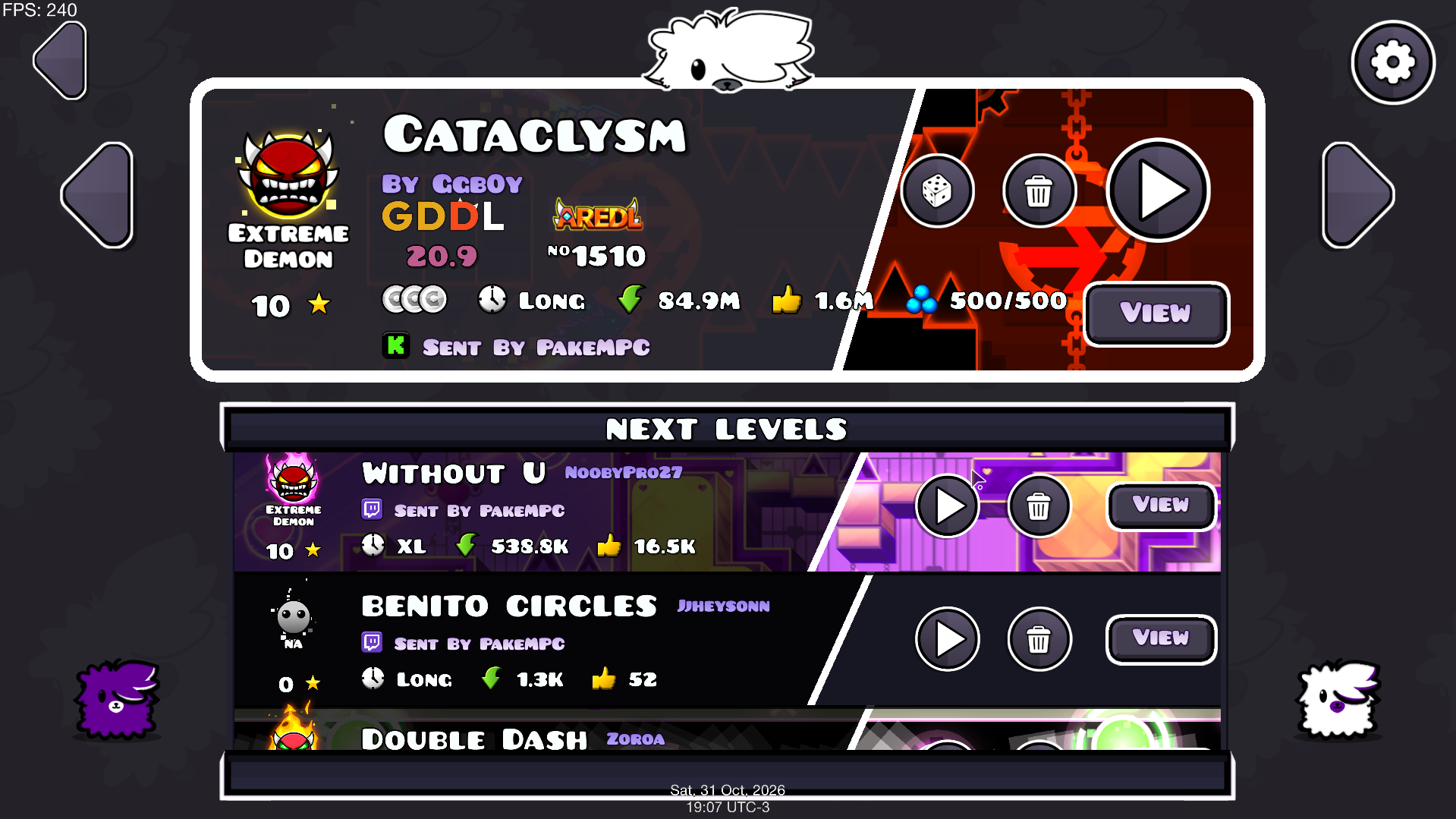
Press the sheep button in the main menu: the current level and the next ones are there. OBS updates at the same time.
All three pieces share one file, queue_data.json. It doesn’t matter where you control the queue from: what you do in the game shows up instantly in the app and in OBS, and the other way round.
The three pieces
The app is the only one you need. The editor and the mod are optional.

SheepGDRequest
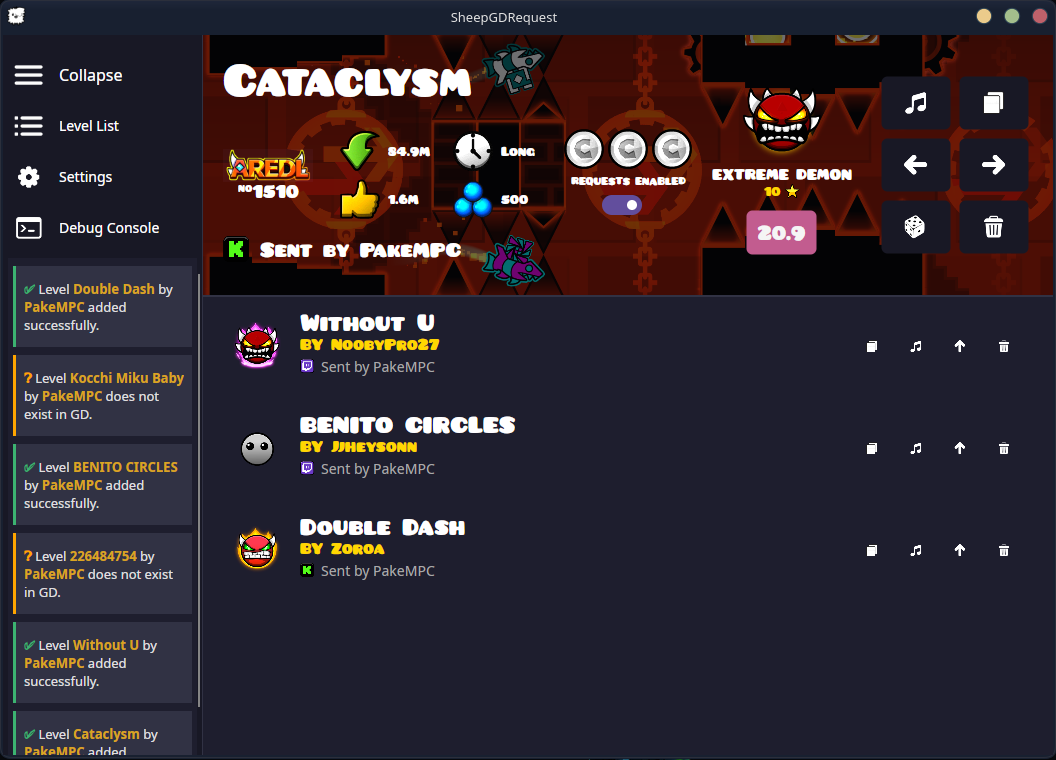
The main app: it listens to your chats, filters requests, manages the queue and serves the OBS widgets.

SheepGDEditor
A visual editor for designing widget themes without writing HTML, with a browser preview.
SheepGDintegration
A Geode mod that brings the queue into Geometry Dash, with auto-skip, level preloading and Sheepy, the optional cube.
Needs SheepGDRequestNeeds Geode
What it does
Up to ten chats at once
Mix SocialStream.Ninja, StreamElements, TikTok Live, Discord and any chat page. If one drops, it reconnects on its own and tells you.
Your rules
Per-user and queue limits, rated levels only, a difficulty filter from Auto to Extreme Demon, and an ID blacklist.
Every level detail
Difficulty, stars, length, downloads, likes, coins and song, plus the GDDL tier and AREDL position for demons.
Auto-skip
Set a time per level. When it runs out it moves to the next one, and the mod and widgets show the same countdown.
Moderated Discord
A level requested on Discord can wait for a moderator to react to the message before it joins the queue.
Notifications and voice
Notices for added and rejected levels, with the reason, and text-to-speech by category.
OBS
Each widget is a browser source. Themes are .zip files you design with SheepGDEditor, and you can switch them live without restarting anything.
Port 6969 is the default; change it in Settings. The server only listens on your computer.
Now playing
http://localhost:6969/widget/playing/ Level queue
http://localhost:6969/widget/queue/ Notifications
http://localhost:6969/widget/notification/ Unified, all in one
http://localhost:6969/widget/unified/ Getting started
- 1
Open SheepGDRequest and pick your language. The first time, it downloads its built-in browser (about 150 MB), so it takes a moment.
- 2
In Settings → Network & Commands, add your chat links, choose each one’s platform and save.
- 3
Tune the queue rules, auto-skip and notifications to your liking.
- 4
For OBS, use Enable Widget Server and add each URL as a browser source.
- 5
To play from GD, use Tools → Install Geode Mod and restart the game. You need Geode.
Everything on your computer
There are no SheepGD servers and no telemetry. The app only connects to what it needs to work.
- The chat pages you give it, and the TikTok or Discord API if you use them.
- The Geometry Dash servers, GDDL (gdladder.com) and AREDL (aredl.net) for level data.
- levelthumbs.prevter.me for thumbnails.
- Google Translate’s voice, only if you turn on text-to-speech.
- The built-in browser download, the first time.